Mobile-First Development: Why It Matters
With over 60% of web traffic coming from mobile devices, building mobile-first is essential. Explore strategies and best practices for mobile-first development.
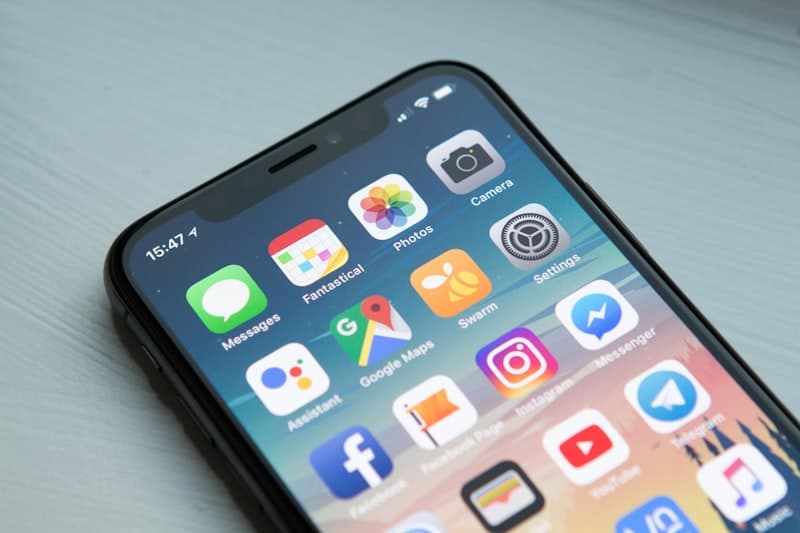
Open your website analytics right now. Look at the device breakdown. If you are like most businesses, more than half of your visitors are on phones. If your audience is primarily in Nigeria or elsewhere in Africa, that number is likely 70% or higher. Now ask yourself: was your website designed for those people first, or was it designed for desktop and then squeezed onto a smaller screen?
That distinction is the difference between mobile-first development and the approach most businesses still take. And it matters more than you might think.
TL;DR: Mobile-first development means designing and building for the smallest screen first, then progressively enhancing for larger devices. With over 60% of global web traffic on mobile and Google using mobile-first indexing for all sites, this approach delivers faster load times, better search rankings, and higher conversions. If you are planning a new site or a redesign, work with a web development team that builds mobile-first by default.
What Mobile-First Actually Means
Mobile-first development is a design and engineering strategy where you build the mobile experience before the desktop experience. You start with the smallest screen, the most constrained environment, and the most common user scenario. Then you progressively enhance the experience for larger screens and more capable devices.
This is the opposite of how most websites have been built historically. The traditional approach starts with a desktop design, often created on a large monitor in a design tool, and then adapts it for mobile as an afterthought. The result is a desktop experience that has been crammed into a phone, rather than a mobile experience that has been expanded for desktop.
Mobile-first is not just about screen size. It is about designing for the constraints and behaviors of mobile users: slower connections, touch-based interactions, shorter attention spans, and different usage contexts. Someone browsing your site on a phone during their commute has very different needs than someone sitting at a desk.
The philosophy forces you to prioritize ruthlessly. When you only have 375 pixels of width to work with, every element must earn its place. This discipline produces cleaner, more focused experiences that benefit users on every device, including desktop.
The Numbers Behind Mobile-First Development
The global shift to mobile is not a trend. It is the reality.
- Over 60% of global web traffic comes from mobile devices, according to StatCounter GlobalStats.
- In Africa, mobile internet usage exceeds 75% of all web traffic in most countries. Nigeria specifically has over 100 million mobile internet users, and for many of them, a smartphone is their only computing device.
- Google processes more searches on mobile than on desktop worldwide, and has since 2015.
- Mobile commerce accounts for over 70% of e-commerce transactions in many emerging markets, and the share continues to grow year over year.
These numbers have been climbing steadily for a decade. There is no scenario in which they reverse. If you are building a website today, you are primarily building a mobile product.
Google's Mobile-First Indexing
In 2023, Google completed its transition to mobile-first indexing for all websites. This means Google primarily uses the mobile version of your site for indexing and ranking. Not the desktop version. The mobile version.
If your mobile experience is inferior to your desktop experience, your search rankings are based on the inferior version. Content that is hidden on mobile, images that do not load on mobile, and interactions that do not work on mobile all hurt your search visibility.
This is not a minor SEO consideration. It is a fundamental shift in how Google evaluates your website. If you have been treating mobile as secondary, Google has been evaluating a secondary version of your site. Every page, every piece of content, and every technical signal is judged by the mobile experience first.
For businesses that depend on organic search traffic, this makes mobile-first development a non-negotiable requirement, not an optional enhancement.
Responsive vs. Adaptive Design
Two approaches exist for handling multiple screen sizes, and understanding the difference matters. We cover this topic in greater depth in our guide to responsive design, but here is the essential comparison.
Responsive Design
Responsive design uses fluid layouts and CSS media queries to adjust the same codebase across all screen sizes. Elements resize, reflow, and rearrange based on the viewport width. One set of HTML and CSS serves every device.
Advantages: Single codebase, easier maintenance, works across the full spectrum of screen sizes, better for SEO since there is one URL per page.
Disadvantages: Can result in compromises where the experience is acceptable on all devices but not optimized for any.
Adaptive Design
Adaptive design creates distinct layouts for specific screen sizes (typically phone, tablet, and desktop). The server or client detects the device and serves the appropriate layout.
Advantages: Each layout can be fully optimized for its target device. No compromises.
Disadvantages: More development effort, more complex maintenance, potential SEO complications with separate URLs.
For most businesses, responsive design with a mobile-first approach is the right choice. It provides the best balance of development efficiency, maintenance simplicity, and user experience quality. You start by designing the mobile layout, then use CSS media queries to enhance the layout for progressively larger screens.
Performance: Where Mobile-First Development Pays Its Biggest Dividends
Performance is where mobile-first development delivers the most measurable business impact. Mobile users are typically on slower connections with higher latency than desktop users. In Nigeria, many users browse on 3G or inconsistent 4G connections. A website that loads in 1.5 seconds on your office fiber connection might take 8 or 10 seconds on a mobile network in Lagos during peak hours.
We have written extensively about website speed optimization, and the principles apply doubly on mobile. Mobile-first forces you to prioritize performance from the start. When you design for the most constrained environment first, you make smart decisions early:
- Optimize images aggressively. Use modern formats like WebP and AVIF. Implement responsive images that serve appropriate sizes based on the device. Lazy load images below the fold.
- Minimize JavaScript. Every kilobyte of JavaScript costs more on mobile than on desktop because mobile processors are slower at parsing and executing code. Ship only what you need.
- Reduce HTTP requests. Combine assets where possible. Use efficient caching strategies. Prioritize critical resources.
- Use system fonts or optimized web fonts. Font files can add hundreds of kilobytes to page weight. Load them efficiently and use font-display strategies that prevent invisible text.
- Implement code splitting. Load only the JavaScript and CSS needed for the current page. Defer everything else until the user needs it.
A study by Deloitte found that a 0.1-second improvement in mobile site speed led to an 8.4% increase in conversions for retail sites and a 10.1% increase for travel sites. Performance is not a technical vanity metric. It is a business metric.
Designing for Touch
Desktop users have a mouse cursor that offers pixel-level precision. Mobile users have fingers that cover a 40 to 60 pixel area on screen. Designing for touch requires fundamentally different thinking, and this is where strong UI/UX design makes a measurable difference.
Key principles for touch-friendly interfaces:
- Minimum tap target size of 44x44 pixels. Apple and Google both recommend this minimum. Anything smaller leads to missed taps and frustrated users.
- Adequate spacing between interactive elements. Buttons and links placed too close together cause accidental taps, which is one of the most frustrating mobile experiences.
- Gesture-based interactions should be intuitive. Swipe, pinch, and long-press are natural on mobile, but only when they behave the way users expect. Do not invent custom gestures.
- Place primary actions within thumb reach. The most comfortable zone for single-handed phone use is the lower center of the screen. Important actions should be accessible there.
- Avoid hover states as the only way to access information. Hover does not exist on touch devices. If you reveal content or navigation on hover, mobile users will never see it.
Navigation Patterns for Mobile
Navigation is one of the areas where mobile-first thinking produces the most noticeable improvements. Desktop navigation patterns -- horizontal menu bars with dropdown sub-menus triggered by hover -- simply do not work on mobile.
Effective mobile navigation patterns include:
- Bottom navigation bars for apps and app-like experiences with 3-5 primary sections
- Hamburger menus for sites with extensive navigation structures (though primary actions should remain visible)
- Tab bars for content-heavy sections where users need to switch between views frequently
- Progressive disclosure where secondary navigation options appear only when the user engages with a section
The key principle: on mobile, navigation should require minimal effort and never obscure the content the user came to see.
Progressive Enhancement
Progressive enhancement is the philosophy that pairs naturally with mobile-first development. You start with a baseline experience that works everywhere, on every device, on every connection speed, and then you enhance it for devices that support more capabilities.
In practice, this means:
- Start with semantic HTML that delivers your content effectively without any CSS or JavaScript.
- Add CSS to create a clean, functional mobile layout.
- Use media queries to enhance the layout for larger screens.
- Add JavaScript-powered interactions that improve the experience but are not required for core functionality.
This approach guarantees that every user gets a functional experience, regardless of their device or connection. It also produces websites that are more accessible, more resilient, and better optimized for search engines.
The CSS Approach
In code, mobile-first means writing your base CSS for mobile screens and using min-width media queries to add styles for larger screens. This is the opposite of the desktop-first approach, which writes base styles for desktop and uses max-width queries to override styles for smaller screens.
The mobile-first approach results in smaller CSS files for mobile users (who are the majority) because they only download the base styles. Desktop users download the base styles plus the enhancements, but they are typically on faster connections where the additional bytes are negligible.
/* Base styles: mobile */
.container {
  padding: 1rem;
  display: flex;
  flex-direction: column;
}

/* Tablet and up */
@media (min-width: 768px) {
  .container {
    padding: 2rem;
    flex-direction: row;
  }
}

/* Desktop and up */
@media (min-width: 1024px) {
  .container {
    max-width: 1200px;
    margin: 0 auto;
  }
}
Testing Strategies That Actually Work
Building mobile-first is only effective if you test on actual mobile devices. Browser developer tools and responsive design simulators are useful during development, but they do not capture the real experience of using a touchscreen on a slower connection.
A practical testing approach:
- Test on real devices. Maintain a small set of test devices that represent your audience. For a Nigerian audience, include mid-range Android phones (which dominate the market) alongside iPhones.
- Test on real networks. Chrome DevTools can throttle network speed, but nothing replaces testing on an actual mobile connection. Try your site on a 3G connection and see how it feels.
- Use Lighthouse and PageSpeed Insights. Google's free tools provide specific, actionable recommendations for mobile performance. Aim for a Lighthouse mobile score above 90.
- Watch real users. Session recording tools show how actual mobile visitors interact with your site. Where do they tap? Where do they get stuck? Where do they leave?
- Test across browsers. Chrome dominates on Android, but Safari on iOS has meaningful differences in how it renders web pages and handles certain features.
- Automate visual regression testing. Tools like Playwright and Cypress can capture screenshots across multiple viewport sizes and flag visual regressions before they reach production.
Common Mobile-First Mistakes
Even teams that commit to mobile-first development make avoidable mistakes. Watch for these:
Hiding content on mobile instead of redesigning it. Using display: none to remove desktop elements from the mobile view is not mobile-first. It means you are still sending that content to mobile browsers and simply hiding it. Redesign the content to work on mobile, or remove it from the codebase entirely.
Ignoring landscape orientation. Many mobile users rotate their phones for certain tasks, especially media consumption and form filling. Test your layouts in both portrait and landscape orientations.
Neglecting form usability. Forms on mobile are a major friction point. Use appropriate input types (type="email", type="tel", type="number") so the correct keyboard appears. Minimize required fields. Use autofill attributes. Make error messages clear and visible without scrolling.
Assuming fast connectivity. Even in urban areas with 4G coverage, network conditions fluctuate. Design for the realistic connection speed of your audience, not the ideal one. In Nigeria and across much of Africa, this means designing for 3G as a baseline.
Forgetting about offline states. Mobile users frequently lose connectivity, especially in transit. Consider what your application should do when the network drops. At minimum, show a clear offline indicator rather than a broken interface.
Building for Your Actual Audience
Mobile-first development is not a technical preference or a design trend. It is a strategic decision to build for your actual audience, not your assumed audience. When 60% to 80% of your visitors are on phones, building desktop-first and adapting for mobile is building for the minority first.
The businesses that embrace mobile-first build faster sites, create better user experiences, rank higher in search results, and convert more of their traffic into customers. The investment in getting mobile right pays for itself many times over.
The approach also future-proofs your investment. As mobile usage continues to grow and new form factors emerge (foldables, wearables, car displays), a mobile-first foundation gives you the flexibility to adapt without starting over.
Ready to build a website that performs beautifully where your customers actually are? Our web development team specializes in fast, responsive, mobile-first experiences designed for real-world conditions. Start a conversation with us today.