Design Systems: Why Consistent UI Saves Your Team Time and Money
A design system is not just a style guide. It is a shared language that speeds up development, ensures consistency, and reduces costly design debt.
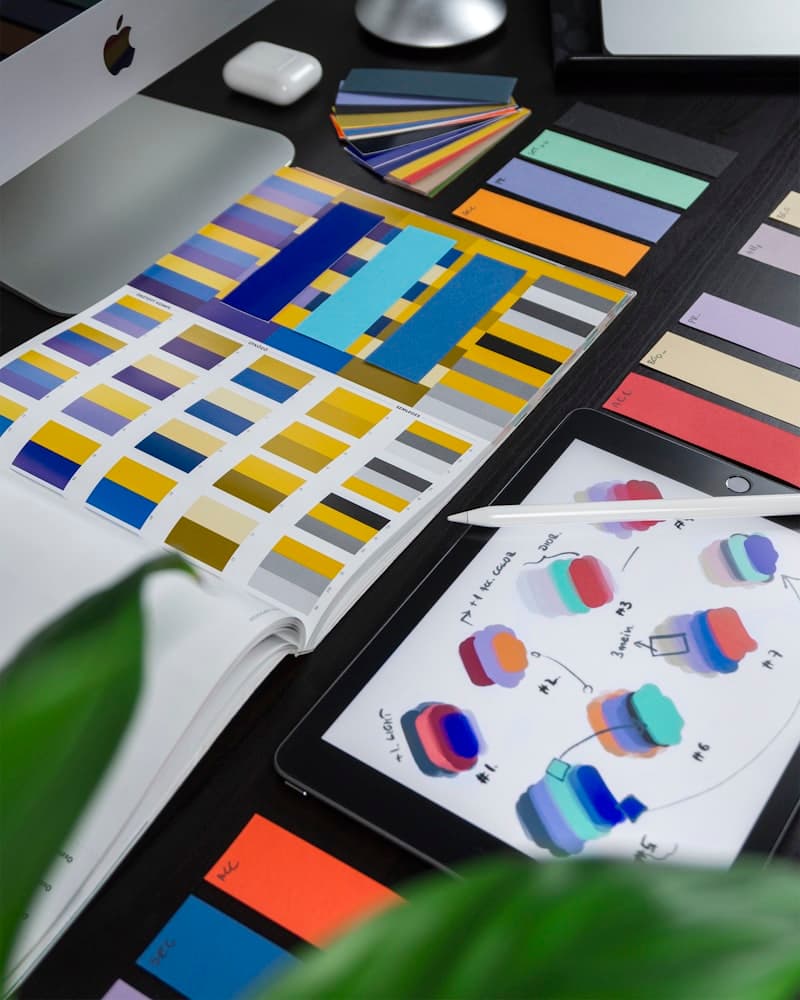
Your designer creates a button with rounded corners and a specific shade of blue. A month later, another developer builds a similar button on a different page, but the blue is slightly off, the padding is different, and the border radius does not match. Multiply this across dozens of components, hundreds of pages, and a team of five or more people. The result is a product that feels inconsistent, a codebase full of duplicate components, and a team that spends more time debating design decisions than shipping features.
This is the problem design systems solve. And the businesses that invest in building them early gain a compounding advantage over those that treat UI consistency as something to fix later.
TL;DR: A design system is a comprehensive set of reusable components, design tokens, patterns, and guidelines that govern how your product looks and behaves. Teams that adopt design systems report 30 to 50 percent faster UI development, better cross-platform consistency, easier onboarding, and reduced QA overhead. You do not need a massive upfront investment to start. Build incrementally as your product grows.
What a Design System Actually Is
A design system is more than a color palette pinned to a Figma board. It is a comprehensive set of standards, components, and guidelines that governs how your product looks, feels, and behaves across every screen and interaction.
A mature design system typically includes four layers:
Design tokens are the foundational values: colors, typography scales, spacing units, border radii, shadows, and breakpoints. They are the atoms of your visual language. When you define that your primary color is #6C63FF and your base spacing unit is 8px, every component inherits those decisions automatically.
Components are reusable UI elements built from those tokens: buttons, input fields, cards, modals, navigation bars, tables. Each component has defined variants (primary button, secondary button, ghost button), states (default, hover, active, disabled), and usage guidelines.
Patterns describe how components work together to solve common UX problems: how a form handles validation, how a data table supports sorting and filtering, how a modal confirms a destructive action. Patterns ensure that similar interactions behave the same way throughout the product.
Guidelines cover the rules that do not fit neatly into code: voice and tone, accessibility requirements, content formatting, iconography usage, and responsive behavior principles.
If you are wondering how design systems connect to broader UI/UX practices, our post on what UI/UX design really means provides helpful context on the discipline as a whole.
Why Inconsistency Costs You Money
Design inconsistency is rarely a dramatic failure. It is a slow leak that drains productivity and erodes user trust over time.
Rework and duplicate effort. Without a shared component library, developers rebuild the same elements from scratch. One team builds a dropdown. Another team, unaware, builds their own version. Now you maintain two dropdowns with slightly different behavior. When a bug appears, you fix it in one place but not the other.
Slower onboarding. New developers joining the project have no single source of truth. They study existing pages, find inconsistencies, and have to guess which version is "correct." What should take days stretches into weeks.
Design debt accumulation. Every inconsistent component is a piece of design debt. Like technical debt, it compounds. As the product grows, the cost of bringing everything into alignment increases exponentially. Teams that delay building a design system eventually face a painful, expensive redesign to fix what grew organically.
User confusion. Users notice inconsistency even if they cannot articulate it. A submit button that looks different on every page, form fields that behave differently across sections, or navigation that shifts between screens all erode the sense of quality and reliability. In B2B products, where trust drives purchasing decisions, this matters more than most teams realize.
The Business Benefits of Design Systems
Faster Development Cycles
When developers can pull a pre-built, tested button component instead of building one from scratch, feature development accelerates significantly. Teams that adopt design systems consistently report 30 to 50 percent reductions in UI development time. That time savings compounds with every feature sprint.
A professional UI/UX design process typically includes building or extending a design system as part of the engagement, ensuring that every new screen adds to the library rather than creating one-off elements.
Brand Consistency at Scale
A design system ensures that your product looks and feels the same whether a user is on the marketing site, the web application, or the mobile app. This consistency reinforces your brand identity at every touchpoint without requiring manual oversight of every screen.
Better Design-to-Development Handoff
One of the biggest friction points in product teams is the gap between what a designer envisions and what a developer builds. A shared component library eliminates ambiguity. The designer uses the same components the developer will implement. Conversations shift from "make this pixel-perfect" to "which existing component fits this use case."
Reduced QA Burden
When components are built once and tested thoroughly, you do not re-test the same button behavior on every page. QA can focus on business logic and user flows rather than catching visual inconsistencies.
Accessibility Built In
Accessibility is much easier to implement at the component level. When your button component handles keyboard navigation, focus states, and ARIA attributes correctly, every instance of that button across your product inherits those accessibility features automatically. Google's Material Design system is a well-documented example of how accessibility can be baked into design tokens and components from the ground up.
When You Need a Design System
Not every project justifies the upfront investment. Here is how to gauge whether it is time.
You probably need one if:
- Your team has more than two or three people working on the product simultaneously
- Your product has more than 15 to 20 distinct screens
- You are building across multiple platforms (web, mobile, email)
- You find yourself repeatedly debating spacing, colors, or component behavior
- New team members take weeks to become productive with the UI
You can probably wait if:
- You are a solo developer building a single-page application
- Your product is still in early MVP stage and the UI changes daily
- You have fewer than ten screens and one developer
The mistake many teams make is waiting too long. The best time to start a design system is before inconsistency becomes a problem, not after.
The Building Blocks of a Design System
If you are starting from scratch, focus on these foundational elements first.
Color Tokens
Define a palette with clear semantic roles. You need a primary color for main actions, a neutral scale for text and backgrounds, semantic colors for success, warning, and error states, and surface colors for cards and sections. Document when each color should be used, not just what it looks like.
Typography Scale
Choose a limited set of font sizes with a consistent ratio between them. A typical scale might include six to eight sizes ranging from small captions to large headings. Define line heights and font weights for each. Resist the temptation to add a new size every time a design calls for something slightly different.
Typography is one of the most impactful elements of any design system. For a deeper look at how typeface choices affect readability, hierarchy, and brand perception, see our post on the role of typography in modern web design.
Spacing System
Use a base unit (4px or 8px) and build all spacing from multiples of that unit. This creates visual rhythm and makes layout decisions automatic. Instead of debating whether a gap should be 13px or 17px, the question becomes "should this be 2 units or 3 units?"
Core Components
Start with the components you use most frequently:
- Buttons (primary, secondary, ghost, icon-only, with loading states)
- Form inputs (text field, select, checkbox, radio, textarea, with validation states)
- Cards (content containers with consistent padding and borders)
- Typography components (headings, body text, captions, links)
- Layout primitives (stack, grid, container)
Build these well, document their props and variants, and you will have a foundation that covers 70 to 80 percent of your UI needs.
Tooling for Design Systems
Choosing the right tools makes design system adoption significantly easier for your team.
Design tools: Figma is the industry standard for design system management. Its component and variant system lets designers build reusable elements that mirror what developers implement in code. Shared libraries ensure every designer on the team works from the same source of truth.
Development tools: Storybook is the most widely used tool for developing, documenting, and testing UI components in isolation. It provides a visual catalog of every component, its variants, and its states. Developers can build and review components without needing to navigate through the full application.
Token management: Tools like Style Dictionary and Tokens Studio help translate design tokens from Figma into platform-specific code (CSS variables, Tailwind config, Swift, Kotlin). This ensures that a color change in Figma automatically propagates to your codebase.
How to Start Small Without Over-Engineering
The biggest risk with design systems is spending three months building a comprehensive library before shipping a single feature. That is over-engineering.
Start with an audit. Screenshot every page of your product. Group similar components. Identify the most frequently used elements and the biggest inconsistencies. This gives you a prioritized starting point.
Build components as you need them. When a feature requires a new component, build it to design system standards instead of as a one-off. Over time, your library grows organically alongside the product.
Document as you go. A component without documentation is a component that only its creator knows how to use. Keep documentation simple: what it is, when to use it, available variants, and a code example.
Pick a single source of truth. Whether you use Storybook, a dedicated documentation site, or a shared Figma library, everyone on the team needs to know where to look. Having two sources of truth is worse than having none.
Assign ownership. A design system without an owner decays quickly. Someone on the team, even part-time, needs to be responsible for reviewing contributions, maintaining consistency, and evolving the system as the product grows.
Design Systems and Web Development
A design system does not exist in isolation. It directly shapes how your web development team builds features. When a design system is well-integrated into the development workflow, new pages are assembled from existing components rather than designed and coded from scratch. This changes the economics of feature delivery.
Teams that pair a strong design system with a modern component-based framework (React, Vue, or Svelte) can go from design approval to production in a fraction of the time it would take without one. The design system becomes the shared vocabulary between designers, developers, and product managers.
The Long-Term Payoff
A design system is an investment that pays compounding returns. The first month, it might feel like overhead. By month six, your team ships faster. By month twelve, new developers are productive in days instead of weeks. By year two, you have a mature, tested component library that makes building new features feel effortless.
The companies known for exceptional product quality, from Shopify to Atlassian to Airbnb, all invest heavily in their design systems. The scale is different, but the principle applies to teams of every size: consistency is not a luxury, it is a multiplier.
Need help building a design system for your product or creating a consistent UI from the ground up? Let us help you get it right.